
SeraTM Cart Assembly

By Interacoustics

This quick guide provides instructions about how to place and attach the Sera™and accessories on the cart. Follow the cart manufacturer™s instructions to assemble the cart prior to installing the Sera™and accessories.

Installing the cradle


  1. Set the cradle on the cart with the front under the fall prevention plate.
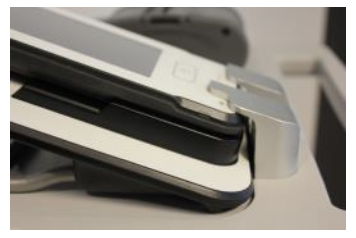
  2. Pass the cradle power supply cable through the pass-through hole and connect it to the port on the back of the cradle.
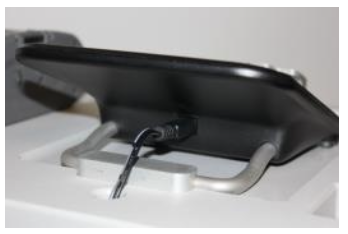
  3. Attach the stabilizer plate over the cradle's metal bar and fasten with screws.
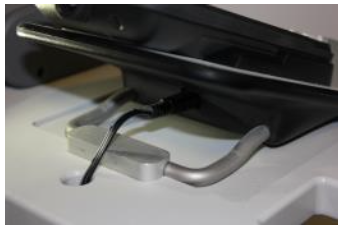
  4. Plug the power supply into a power strip1 securing the cables with the post cable clips and tie wraps to create a neat appearance and prevent rolling over the cords during transport.


Installing the cables

  1. For storage/transport, place the preamplifier, electrode cables and transducers as shown.
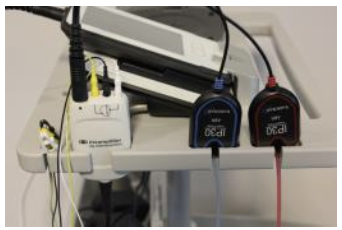
  2. For storage/transport, place the probe as shown.
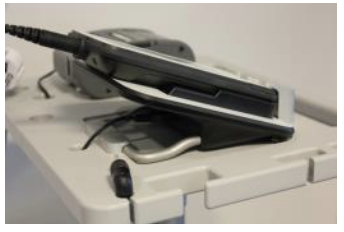
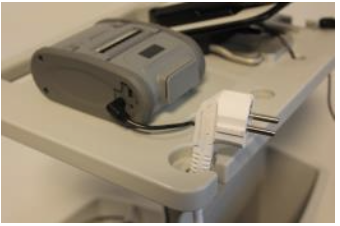
  3. For storage/transport, set the plug of power strip into the edge pocket as shown securing any hanging cables in attached bin to prevent rolling over the cord.
 

Installing the printer

  1. Attach custom plate with the pictured 5/16-18 screws to the printer
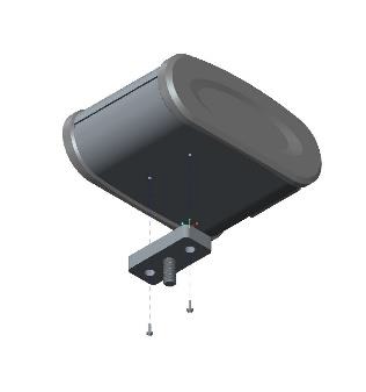
  2. Insert the printer with the custom plate attached into the recess and fasten with the knob.
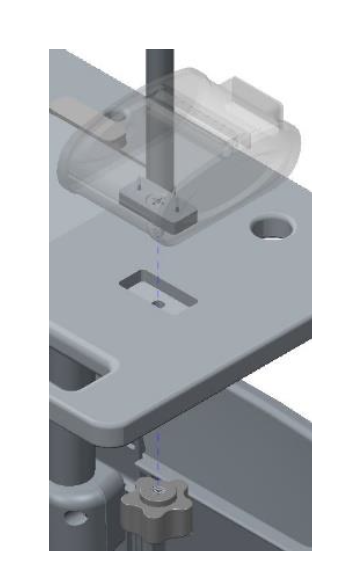
  3. Pass the printer power supply cable through the pass-through hole behind the printer and connect it to the charger port on the right side of the printer.
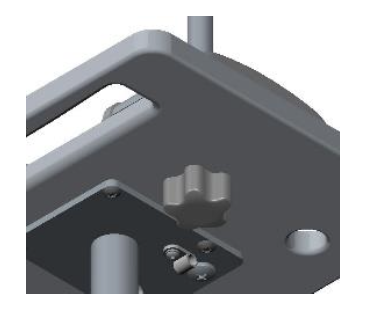
  4. Plug the power supply into the power strip securing the cables with the post cable clips and tie wraps to create a neat appearance and prevent rolling over the cords during transport.

Presenter

Interacoustics

Available Training

Cleaning the Earphone for EarCups

Learn how to clean the earphone for earcups.

Interacoustics2026-10-02

Cleaning the Insert Earphone

Learn how to clean the insert earphone.

Interacoustics2026-10-02

Cleaning the Probe Tip

Learn how to clean the SeraTM probe tip.

Interacoustics2026-10-02

Getting started with HearSIMTM

Learn how to use the HearSIMTM software.

Interacoustics2026-10-02

How to change other settings on your Sera™ device

Learn how to change other settings on your SeraTM device.

Interacoustics Academy2026-10-02

How to charge and carry the Sera™ device

Learn how to charge and carry the SeraTM device.

Interacoustics Academy2026-10-02

How to connect the Sera™ probe correctly

Learn how to connect the Sera™ probe correctly.

Interacoustics Academy2026-10-02

How to do a daily system and probe check of your Sera™ device

Learn how to do a daily system and probe check of your Sera™ device.

Interacoustics Academy2026-10-02

How to download results from the Sera™ device to a PC

Learn how to download results from the Sera™ device to a pc.

Interacoustics Academy2026-10-02

How to install the HearSIM™ database on a PC

Learn how to to install the HearSIM™ database on a PC.

Interacoustics Academy2026-10-02

How to install the printer for your Sera™ device

Learn how to to install the printer for your Sera™ device.

Interacoustics Academy2026-10-02

How to perform a hearing screening using the Sera™ device

Learn how to to perform a hearing screening test using the Sera™ device.

Interacoustics Academy2026-10-02

How to print tests from the Sera™ device

Learn how to to print tests from the Sera™ device.

Interacoustics Academy2026-10-02

How to set up the SeraTM device using HearSIM™

Learn how to to set up the Sera™ device using the HearSIM™ software.

Interacoustics Academy2026-10-02

SeraTM Automated ABR

Learn how to do automated auditory brainstem response (ABR) testing with the SeraTM hearing screening device.

Interacoustics2026-10-02

How to perform DPOAE with SeraTM

Learn how to perform distortion product otoacoustic emission (DPOAE) testing with the SeraTM hearing screening device.

Interacoustics2026-10-02
Sera™ | Cart Assembly | Interacoustics