
How to perform TEOAE with SeraTM

By Interacoustics

Prepare the equipment

  1. Turn on SeraTM by pressing the home/power button
  2. Select a new or existing patient on the device or use the Quick Test option.

  3. Select the TEOAE test protocol from the list.

  4. Select the ear for testing

  5. Press the Test button to start the test.

Test environment

The ideal test environment for OAE testing is a quiet room. Loud ambient background noise adversely affects OAE measurements.

Prepare the baby

The baby should be sleeping or in a quiet and relaxed state. Sucking, blinking, crying or movement may affect testing.

Place transducer
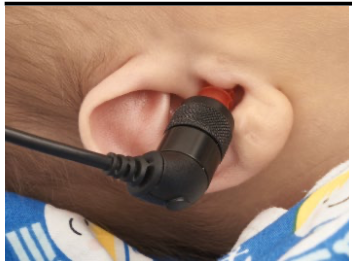
Place an ear tip onto the probe tip and place the probe in the ear. Avoid holding onto the probe during the measurement as this can produce noise that may affect the test result.

Run test

Press the Test button

Results

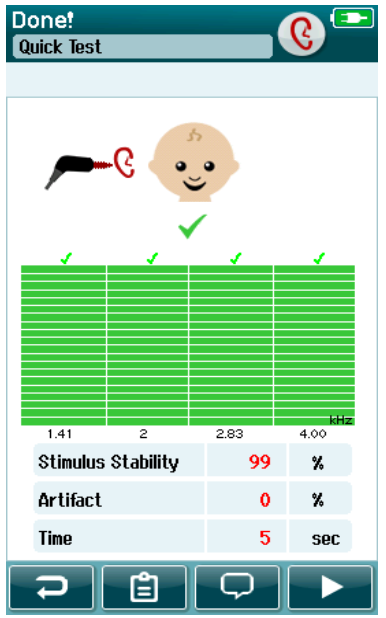
PASS result

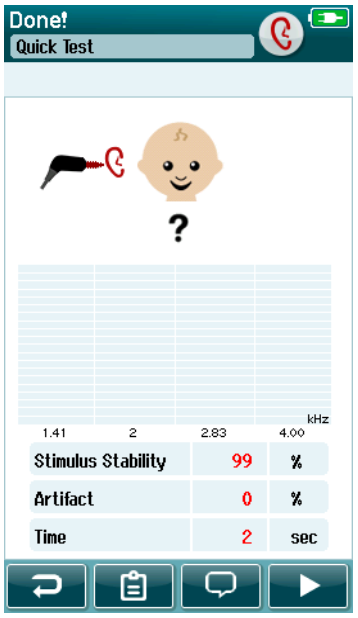
When the pass criteria for the test is reached, a is displayed in green above the measurement, indicating the test has PASSED.
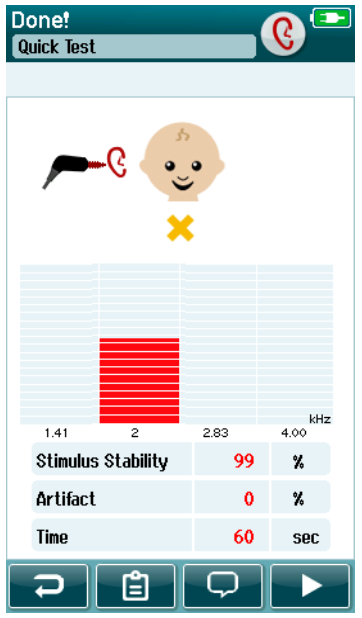
REFER result

When the pass criteria for the test is not reached within the measurement time, page1image1847696is displayed in amber above the measurement, indicating the test is a REFER.
INCOMPLETE result

If the test is stopped before a PASS or REFER is generated by the system, page1image1842704is displayed above the measurement indicating that the test is INCOMPLETE.
Presenter

Interacoustics

Available Training

Cleaning the Earphone for EarCups

Learn how to clean the earphone for earcups.

Interacoustics2026-10-02

Cleaning the Insert Earphone

Learn how to clean the insert earphone.

Interacoustics2026-10-02

Cleaning the Probe Tip

Learn how to clean the SeraTM probe tip.

Interacoustics2026-10-02

Getting started with HearSIMTM

Learn how to use the HearSIMTM software.

Interacoustics2026-10-02

How to change other settings on your Sera™ device

Learn how to change other settings on your SeraTM device.

Interacoustics Academy2026-10-02

How to charge and carry the Sera™ device

Learn how to charge and carry the SeraTM device.

Interacoustics Academy2026-10-02

How to connect the Sera™ probe correctly

Learn how to connect the Sera™ probe correctly.

Interacoustics Academy2026-10-02

How to do a daily system and probe check of your Sera™ device

Learn how to do a daily system and probe check of your Sera™ device.

Interacoustics Academy2026-10-02

How to download results from the Sera™ device to a PC

Learn how to download results from the Sera™ device to a pc.

Interacoustics Academy2026-10-02

How to install the HearSIM™ database on a PC

Learn how to to install the HearSIM™ database on a PC.

Interacoustics Academy2026-10-02

How to install the printer for your Sera™ device

Learn how to to install the printer for your Sera™ device.

Interacoustics Academy2026-10-02

How to perform a hearing screening using the Sera™ device

Learn how to to perform a hearing screening test using the Sera™ device.

Interacoustics Academy2026-10-02

How to print tests from the Sera™ device

Learn how to to print tests from the Sera™ device.

Interacoustics Academy2026-10-02

How to set up the SeraTM device using HearSIM™

Learn how to to set up the Sera™ device using the HearSIM™ software.

Interacoustics Academy2026-10-02

SeraTM Automated ABR

Learn how to do automated auditory brainstem response (ABR) testing with the SeraTM hearing screening device.

Interacoustics2026-10-02

SeraTM Cart Assembly

Learn how to assemble the SeraTM Cart.

Interacoustics2026-10-02