How to set up and troubleshoot monitors for oculomotor and optotype tests

By Dr Liz Fuemmeler

VisualEyesTM and most vestibular clinical rooms work best when a different screen size is used for oculomotor stimuli versus optotype tests. This is because a larger screen size that fills more of the patient's field of vision is more accurate for certain oculomotor tests (such as optokinetic testing).

For our optotype tests (DVA, GST, and fvHITTM), the data is most accurate if a smaller monitor is used. Typically, this is a regular sized computer monitor.

When you have more than one monitor connected to the computer, it is important to make sure that the displays are being recognized by Windows.
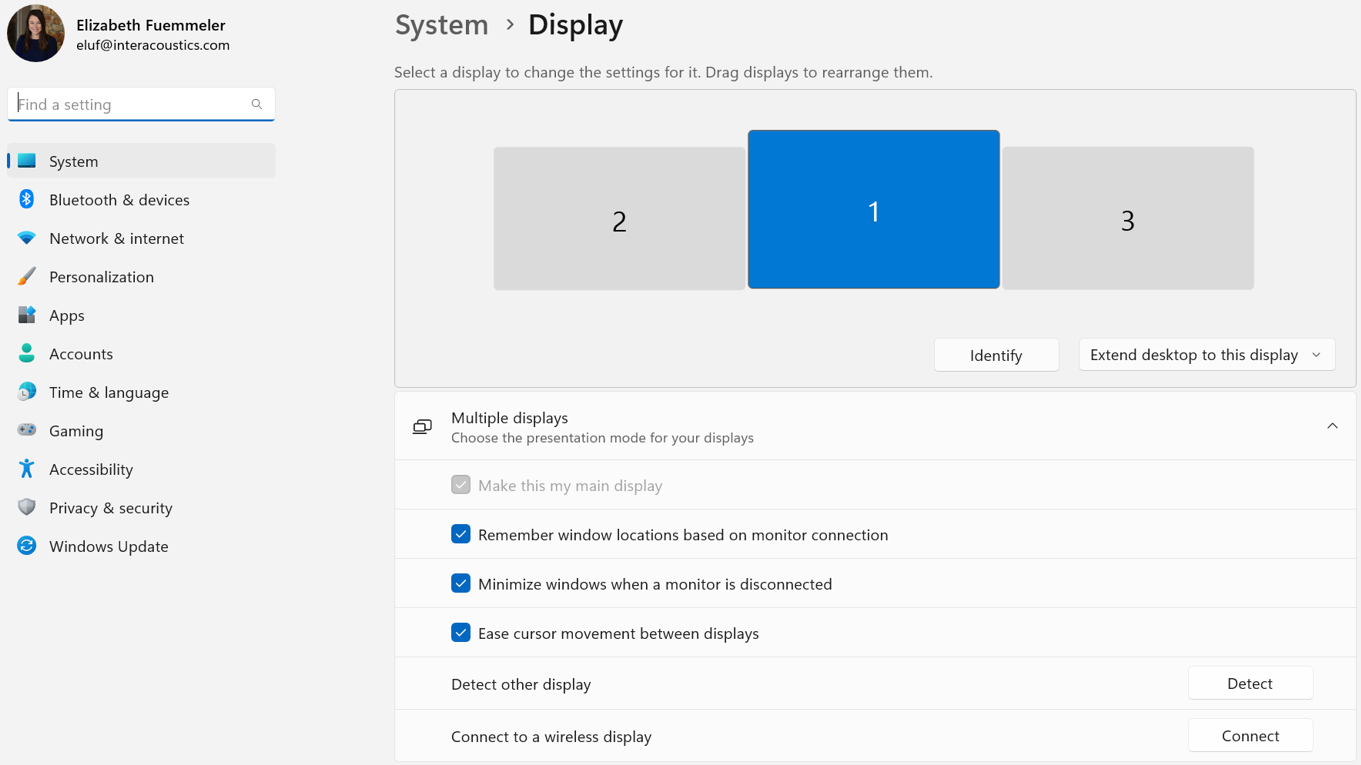
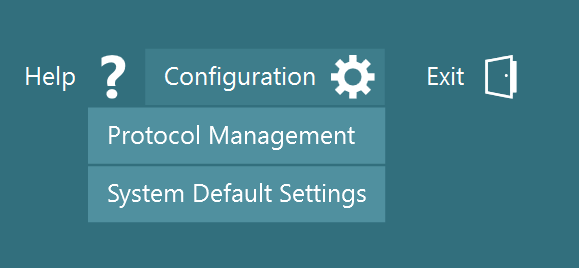
Once properly connected and identified, you can open VisualEyes and go to Configuration > System Default Settings:
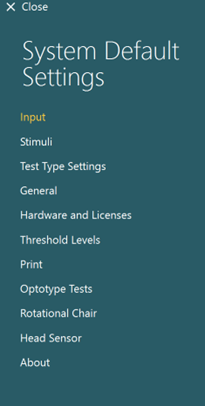
On the side bar, you will want to check two areas:

  • Stimuli
  • Optotype tests

Stimuli is used for all oculomotor tests (gaze, pursuit, optokinetics, saccadometry, etc.). This is typically the 55" TV that users have.
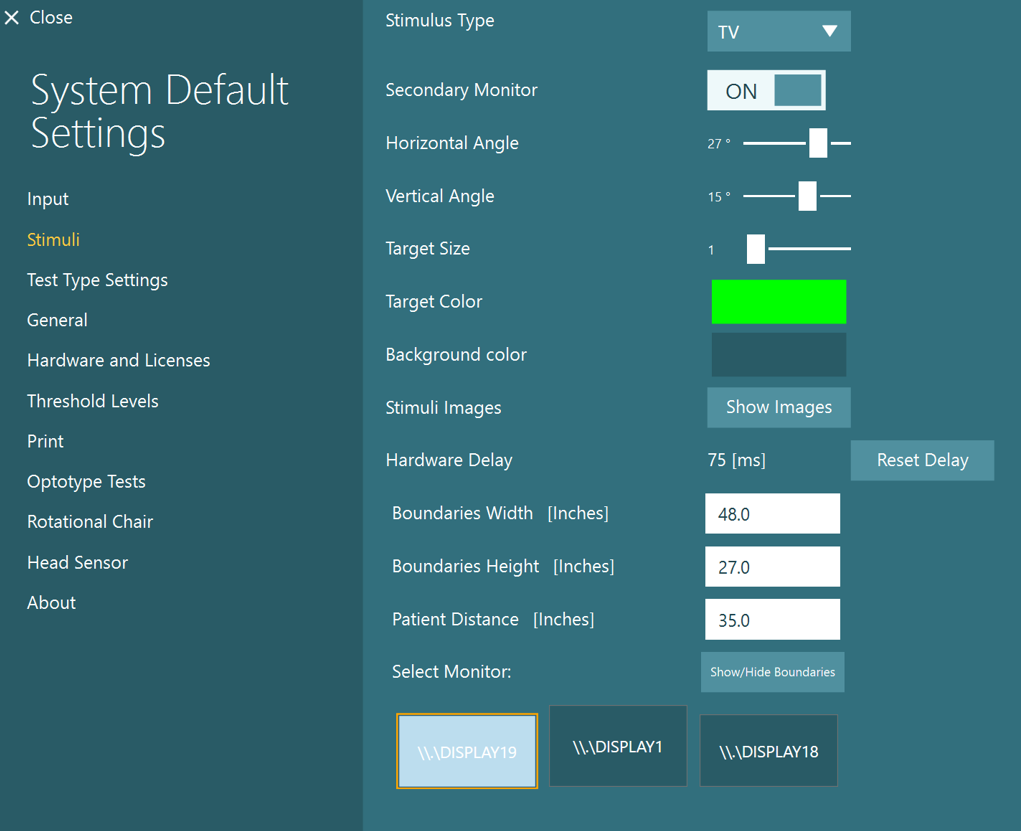
Optotype is for the DVA, GST, and fvHIT tests. This should be a smaller computer monitor and patient distance will be much longer than what you see on your 55" TV. It is not recommended to use the TV for optotype tests, as patients would have to be very far away from it and usually room sizes do not allow for this.
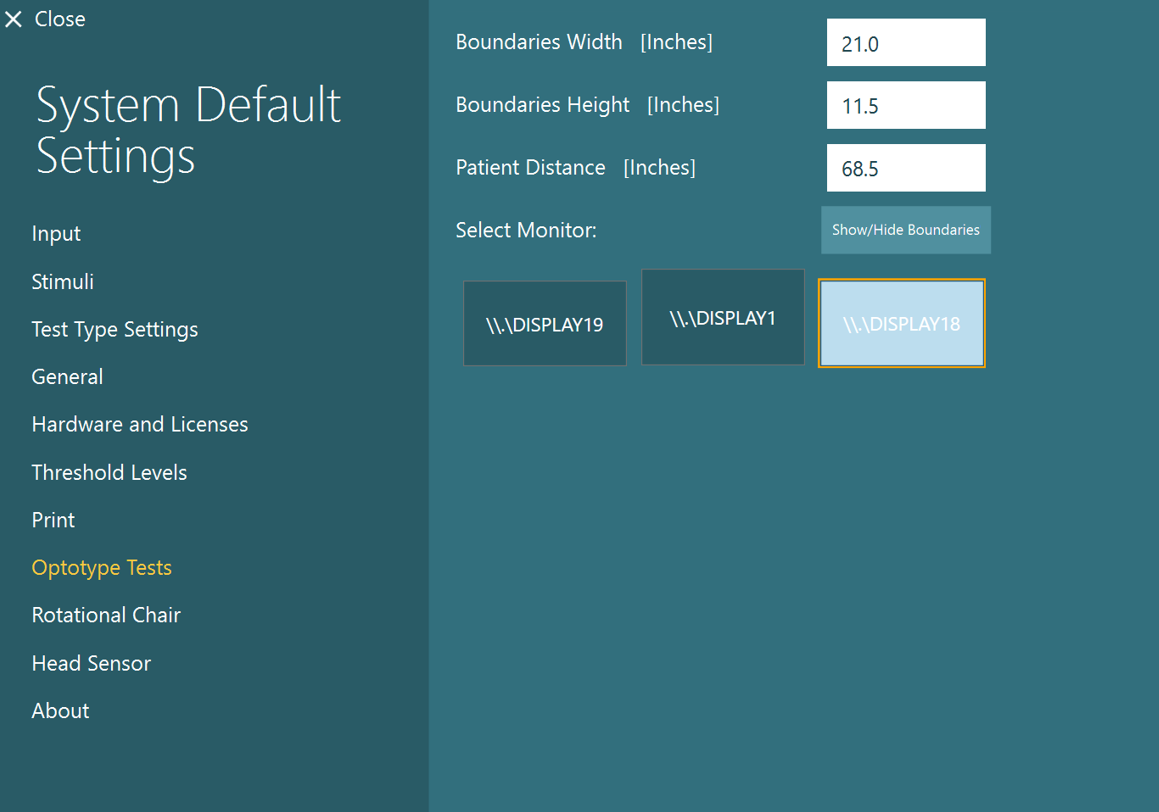
Occasionally, when a user is switching between stimuli and optotype tests, it may become confused of "which monitor" to send the stimuli to. If the user notices that the optotype is not displaying on the intended monitor (or same with the stimuli), have the user press the home button:

Go to Configuration > System Default Settings:

Choose Optotype Tests:

Click the "Show/Hide Boundaries" button - a green cross should show up on the screen.

If it is showing up on the WRONG screen, choose the correct display and click the Show/Hide Boundaries button again:
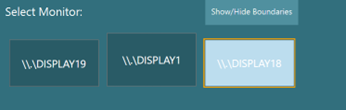
Then click close:

Begin testing:
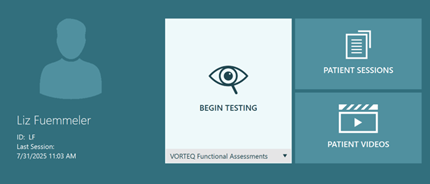
The optotype should pop up on the correct screen now.

Main display:
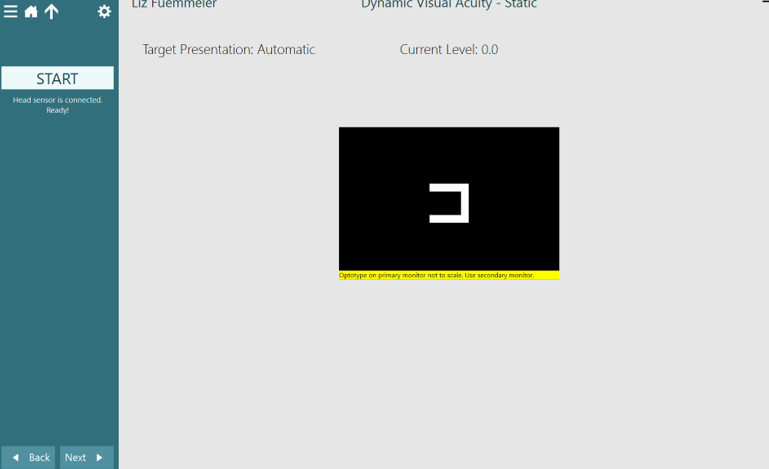
Separate monitor:

If switching back to a stimuli test, you may have to repeat this process going through System Default Settings but selecting "Stimuli" instead of "Optotype Tests".

Presenter
Dr Liz Fuemmeler

Dr Liz Fuemmeler

Dr. Liz Fuemmeler is the Balance Clinical Product Manager with Interacoustics and Vestibular Program Director at Professional Hearing Center in Kansas City, MO. She graduated with her Doctorate of Audiology in 2019 from Purdue University and received specialty training in vestibular and balance disorders at Boys Town National Research Hospital and the Mayo Clinic. She is actively involved in vestibular and concussion research and regularly lectures for local, national, and international conferences. Outside of her role with Interacoustics, she co-hosts a monthly podcast called "A Dose of Dizzy'' that reviews current vestibular protocols and research. She also is the past-president of the Missouri Academy of Audiology and volunteers with the American Academy of Audiology.

Available Training

How to perform the Active Head Rotation test

Learn how to perform the active head rotation (AHR) test in the VisualEyesTM software.

Dr Michelle Petrak2026-10-02

How to perform the Advanced Dix-Hallpike test

In this guide, you will learn how to perform the Advanced Dix-Hallpike using the VisualEyesTM videonystagmography (VNG) system.

Dr Michelle Petrak2026-10-02

How to perform the Brandt-Daroff Exercise

Click here to learn how to perform the Brandt-Daroff Exercise.

Interacoustics2026-10-02

How to perform calibration procedures

In this guide, you will learn how to calibrate the VisualEyesTM videonystagmography (VNG) system.

Dr Michelle Petrak2026-10-02

How to perform the Caloric test

Learn how to perform the caloric test with videonystagmography (VNG) equipment.

Interacoustics2026-10-02

How to perform Cervical Gaze testing

Two additional gaze positions are now available in VisualEyesTM 525 as an option to include in your test battery: Center Body Left and Right. Learn more.

Dr Liz Fuemmeler2026-10-02

How to perform the Dix-Hallpike test

Learn how to perform the Dix-Hallpike test, including precautions, patient instructions, the step-by-step test procedure, results interpretation, and more.

Interacoustics2026-10-02

How to perform the Dynamic Visual Acuity (DVA) test

Learn how to perform the dynamic visual acuity (DVA) test in the VisualEyesTM software.

Dr Michelle Petrak2026-10-02

How to perform the Epley Maneuver

Learn how to perform the Epley Maneuver for treatment of posterior canal BPPV. Includes a step-by-step procedure with images and helpful hints. Read more.

Interacoustics2026-10-02

How to use VisualEyesTM EyeSeeCam

In this guide, you will learn how to use the EyeSeeCam vHIT software within the VisualEyesTM videonystagmography (VNG) system.

Dr Michelle Petrak2026-10-02

How to perform the Functional Vision Head Impulse Test (fvHITTM)

The Functional Vision Head Impulse Test (fvHITTM) provides functional information on how clearly the patient sees in response to quick head impulses. Read more.

Dr Liz Fuemmeler2026-10-02

How to perform the Gaze test

Learn how to perform the gaze test with videonystagmography (VNG) equipment.

Interacoustics2026-10-02

How to perform the Gaze Stabilization Test (GST)

Learn how to perform the Gaze Stabilization Test (GST) in the VisualEyesTM software. Click here to read more.

Dr Michelle Petrak2026-10-02

How to perform the Gufoni Maneuver

Learn how to perform the Gufoni Maneuver in this short guide. Includes a step-by-step procedure with images and helpful hints. Read more.

Interacoustics2026-10-02

How to use keyboard shortcuts in VisualEyesTM

VisualEyesTM has several software functions that are available through a computer keyboard. These allow for the user to access quick buttons for easy navigation.

Dr Liz Fuemmeler2026-10-02

How to perform the Lateral Head Roll test

Learn how to perform the lateral head roll (LHR) test with the VisualEyesTM software.

Dr Michelle Petrak2026-10-02