
How to use keyboard shortcuts in VisualEyesTM
VisualEyes has several software functions that are available through a computer keyboard. These allow for the user to access quick buttons for easy navigation of the software.
| Key | Function |
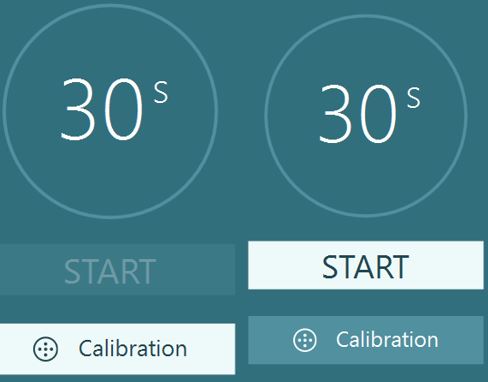
| ENTER | Presses the white highlighted button |
| ESC | Quickly cancels the test and erases the data |
| M | Adds marker during the test |
| SPACEBAR | "I don't know" response for DVA, GST, and fvHITTM tests |
ENTER
The VisualEyes software guides you through tests by highlighting the next function you need to proceed in testing. You will see this represented by a highlighted white button. The highlighted white button will change throughout the test sequence. You have the ability to press the enter key on the keyboard to progress through testing.
ESC
The escape key allows for the user to erase data and restart the test. This is useful for times when the recording has started but the patient wasn't ready for the test or is providing poor, inaccurate data. The clinician can press the escape key (ESC) to erase the data and be ready to restart the test.
M key
Some clinicians prefer the ability to mark an external stimulus (such as an auditory masker or goggle cover taken off) on their oculomotor tests to signal why a change in eye movements or pupil diameter may have occurred.
You can use the keyboard letter "m" to place a marker on the eye tracing graph. To add a marker to the tracing, press the "m" key on the keyboard. This will add a black vertical line to the eye tracing graph. You can add as many markers as you want during a recording. This keyboard marker will be present on the eye tracing graph upon reviewing or printing results.
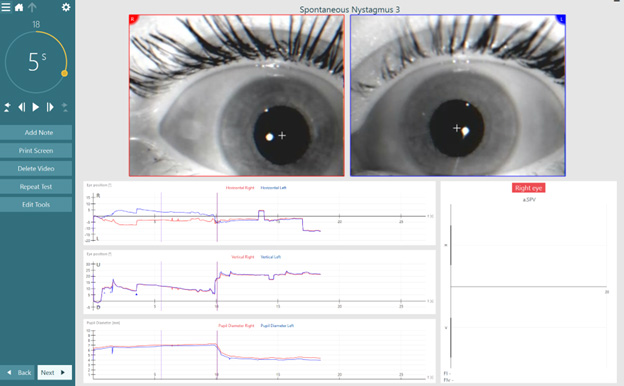
The keyboard marker function is active in the following VisualEyes tests:
| Oculomotor assessments | Positional tests | Rotational assessments | Other tests |
| Spontaneous Nystagmus | Dix-Hallpike | Sinusoidal Harmonic Acceleration | VORTEQTM Active Head Rotation |
| Gaze | Advanced Dix-Hallpike | Step Velocity | SVV Static |
| Smooth Pursuit | Positional | Visual VOR | SVV |
| Self-Paced Saccades | Lateral Head Roll | VOR Suppression | Caloric |
| Random Saccade | Ocular Counter Roll | ||
| Saccadometry | |||
| Optokinetic |
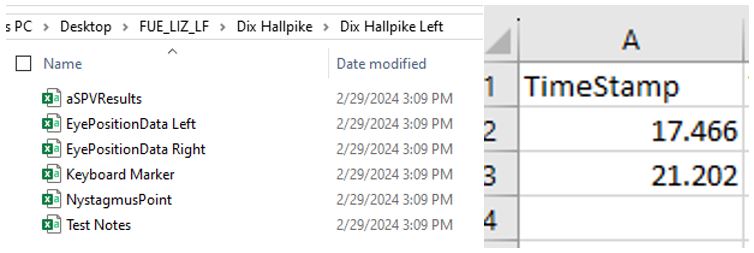
For Research Module users, you have the ability to export the keyboard marker data. A keyboard marker file will be present in every test file and if you have used this function, the time points will be displayed in the Excel document.
SPACEBAR
For the Dynamic Visual Acuity (DVA), Gaze Stabilization (GST) and Functional Vision Head Impulse (fvHIT) tests, the spacebar allows for the user to enter the "I don't know" response ('?').
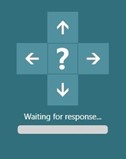
If no response is selected in 5 seconds, the "I don't know" button is automatically selected.
Presenter

Dr Liz Fuemmeler
Dr. Liz Fuemmeler is the Balance Clinical Product Manager with Interacoustics and Vestibular Program Director at Professional Hearing Center in Kansas City, MO. She graduated with her Doctorate of Audiology in 2019 from Purdue University and received specialty training in vestibular and balance disorders at Boys Town National Research Hospital and the Mayo Clinic. She is actively involved in vestibular and concussion research and regularly lectures for local, national, and international conferences. Outside of her role with Interacoustics, she co-hosts a monthly podcast called "A Dose of Dizzy'' that reviews current vestibular protocols and research. She also is the past-president of the Missouri Academy of Audiology and volunteers with the American Academy of Audiology.
