
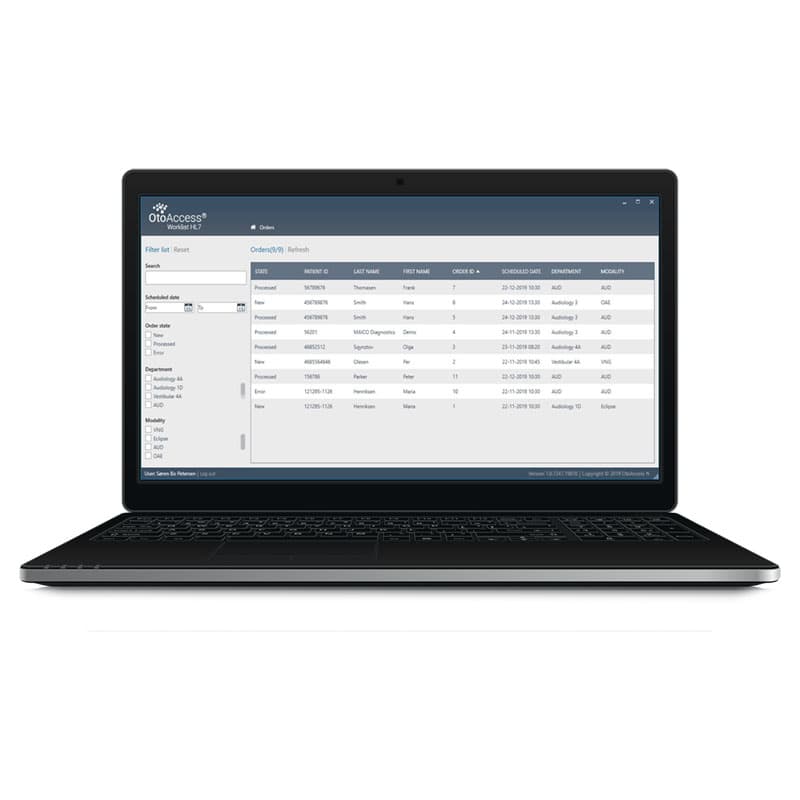
OtoAccess® Worklist HL7
HL7 and EHR integration made seamless
Explore OtoAccess® Worklist HL7 features
An integration solution for your healthcare database
Healthcare solutions such as OtoAccess® Database provide an easy and secure way to store patient and result information. This is also possible in large networked setups with many client computers.
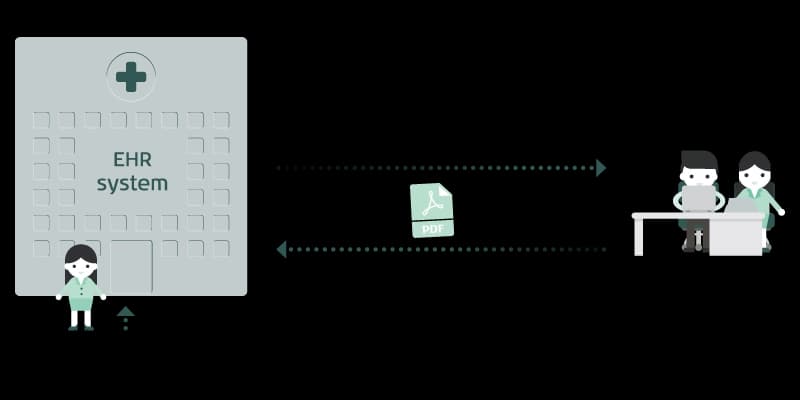
With OtoAccess® Worklist HL7, OtoAccess® Database and your electronic health record (EHR) system can interface. This means your patients show automatically in your worklist and your test results are saved directly in your EHR system, also known as EMR systems.

Three easy workflow steps with OtoAccess® Worklist HL7
1. Retrieve data
The receptionist enters the patient's information and appointment in your EHR system.
2. Perform tests
Immediately, you can access the information in the interface of OtoAccess® Worklist HL7 and perform your tests.
3. Return data
With a few clicks, return the data to your EHR system once you are done.
Safe data handling
All health information and clinical data are saved in OtoAccess® Database. With OtoAccess® Database as the integration platform, you can trust that sensitive data, such as patient IDs and demographics, are handled safely.
Intuitive software
With an intuitive and responsive user interface, it is very easy for healthcare professionals to use the solution after minimal training or use. Images and reports from OtoAccess® Database can be delivered to your health system.
Full-line compatibility
OtoAccess Worklist® HL7 supports all Interacoustics' product categories, from audiometry to balance. The interface will automatically display the medical devices that you have available on your computer.

Reach out to your data technician for implementation
OtoAccess® Worklist HL7 follows the Health Level Seven (HL7) messaging standards. It supports an order-based HL7 version 2.x setup in conjunction with OtoAccess® Database. In other words, it integrates your audiological and vestibular workflows with your EHR solution.
You can configure HL7 message types according to your needs. For details on implementation, please refer to the OtoAccess® Worklist HL7 compatibility checklist, which will determine if the solution is right for you.
Save time with OtoAccess® Worklist HL7
OtoAccess® Worklist HL7 lets you integrate your local database with EHR systems. It reduces administrative tasks and allows you to save up to five to ten minutes per patient. Learn more in this video.
Need support or training?
Check out the latest training material.
Contact your local distributor
Our world-wide experts and distributors can help you find the best solution for you and your clinic. They also know what products are available in your market. Fill out the form and your local distributor will contact you with more information.
Distributors
Purchase from one of our trusted distributors.
Support
Need product training? Visit our training site to find answers.