
How to Perform TEOAE

By Interacoustics

1. Test environment

The ideal test environment is a quiet room.

2. Preparing the patient

Place the patient in a position that will allow easy access to the ear canal. Use the shirt clip on the remote probe to secure the probe to clothing or bedding. The patient should remain still and quiet while the test is being performed. If a baby is tested, ensure it is sleeping or in quiet relaxed state. Sucking, blinking, crying or movement may affect testing.

3. Preparing the equipment
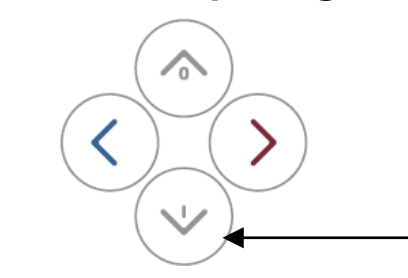
Turn on the OtoReadTM by pressing the down button
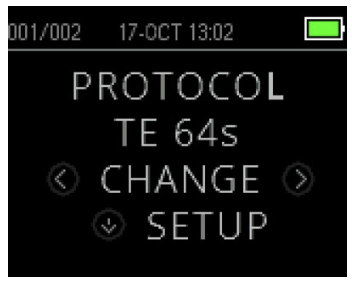
To change the selected protocol press CHANGE at the Main Menu. The Change Protocol Display will appear. Use the CHANGE arrow buttons to change the selected protocol. Press the UP arrow to return to the Main Menu to begin testing.
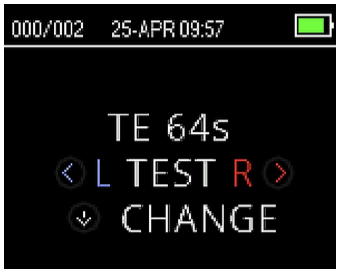
To begin a test, insert the probe into the ear and select either the arrow key to indicate the ear to be tested.

4. The probe
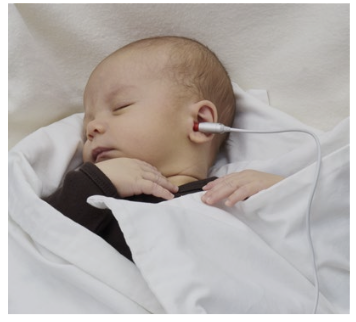
Place the probe in the ear and then press the LEFT or RIGHT arrow key to begin the test - the test will proceed automatically if the probe fit is stable.
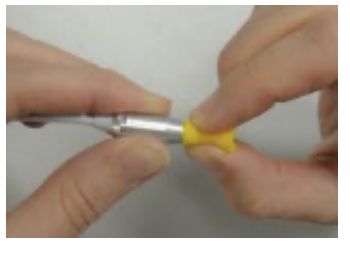
To replace the probe tube, use the ear tip to grasp the probe tube (the clear plastic tube) and twist slightly while pulling the probe tube straight out of the probe head.
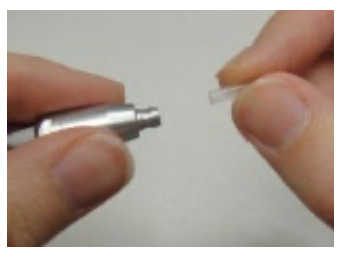
Dispose of the used probe tube immediately to avoid confusing used tubes with new tubes. Take a new probe tube from the package and insert the tube into the probe head until it is fully seated. A properly inserted probe tube will snap securely into place when it is fully seated in the probe head.

5. Test results

PASS result
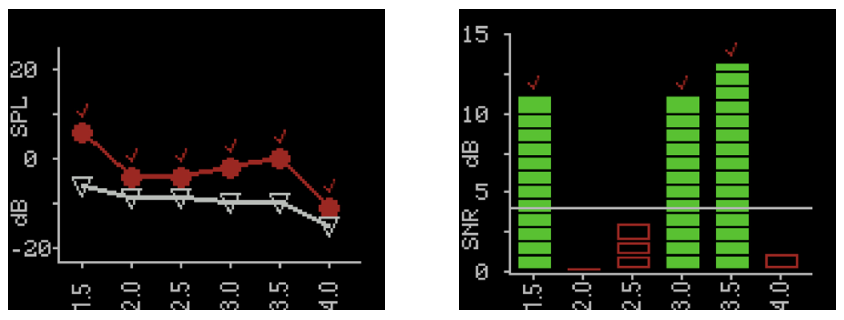
PASS - when the set criterion for a pass is reached, PASS is displayed in green above the measurement.

REFER result
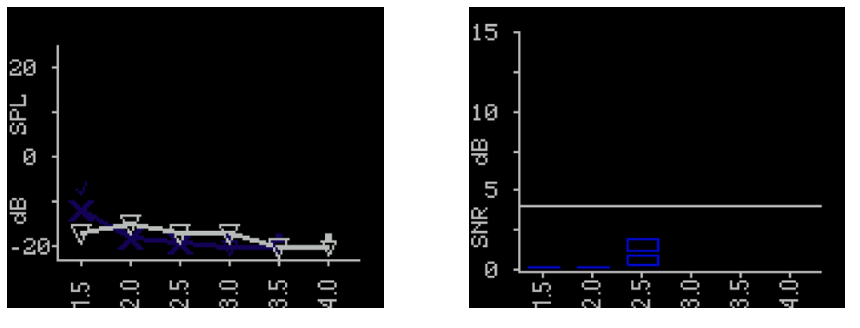
REFER - when the set criterion for a pass is not reached within the measurement time, REFER is displayed in amber above the measurement.

Presenter

Interacoustics

Available Training

Caring for the Micro-Probe

Learn how to take care of the OtoReadTM micro probe.

Interacoustics2026-10-02

Otoacoustic Emission (OAE) Testing

Learn how to perform OAE testing with the OtoReadTM.

Interacoustics2026-10-02

How to Perform DPOAE

Learn how to perform distortion product otoacoustic emission (DPOAE) with the OtoReadTM OAE device.

Interacoustics2026-10-02

OtoRead: How to change the OtoRead probe tube

In this video, you'll learn how to change the OtoRead probe tube. Watch the video here.

Interacoustics2026-10-02

OtoRead: How to clean the probe

In this video, you'll learn how to clean the probe for the OtoRead. Watch the video here.

Interacoustics2026-10-02

OtoRead: How to connect the printer

In this video, you'll learn how to connect the printer to the OtoRead. Watch the video here.

Interacoustics2026-10-02

OtoRead: How to do a probe test

In this video, you'll learn how to do a probe test with the OtoRead. Watch the video here.

Interacoustics2026-10-02

OtoRead: How to get started using your device

In this video, you'll learn how to get started using your OtoRead. Watch the video here.

Interacoustics2026-10-02

OtoRead: How to interpret the SNR graph test screen

In this video, you'll learn how to interpret the SNR graph test screen on the OtoRead. Watch the video here.

Interacoustics2026-10-02

OtoRead: How to interpret the value graph test screen

In this video, you'll learn how to interpret the value graph test screen on the OtoRead. Watch the video here.

Interacoustics2026-10-02

OtoRead: How to navigate the menu

In this video, you'll learn how to navigate the menu on the OtoRead. Watch the video here.

Interacoustics2026-10-02

OtoRead: How to perform an OAE test

In this video, you'll learn how to perform an OAE test with the OtoRead. Watch the video here.

Interacoustics2026-10-02

OtoRead: How to print

In this video, you'll learn how to print your test results from the OtoRead. Watch the video here.

Interacoustics2026-10-02

How to use and maintain probe and ear tips for the OtoReadTM

Learn how to manage the OtoReadTM probe and ear tips.

Interacoustics2026-10-02

How to Upgrade the Firmware

Learn how to upgrade the OtoReadTM firmware.

Interacoustics2026-10-02