
SeraTM Automated ABR
Prepare the equipment
-
Turn on SeraTM by pressing the home/power button

-
Select a new or existing patient on the device or use the Quick Test option.
-
Select the ABR test protocol from the list.
-
Select the ear for testing

-
Pressing the Test button starts the test.

Test environment
The ideal test environment is a quiet room where lights and other electronic equipment are turned off.
Prepare the baby
1. Patient state
The baby should be sleeping or in a quiet and relaxed state. Sucking, blinking, crying or movement may affect testing.
2. Skin preparation
If the baby's skin is oily or covered in vernix, the electrode placement sites should be cleaned prior to placing the electrodes.
Use a conductive gel with the electrodes to improve impedances.
Place electrodes
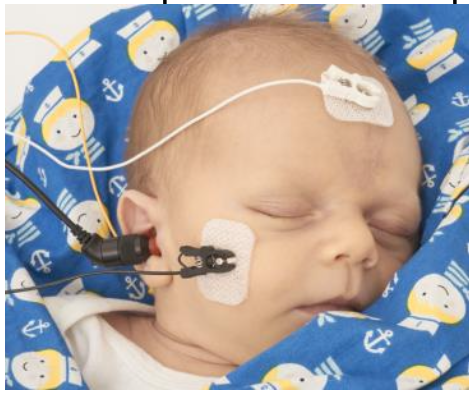
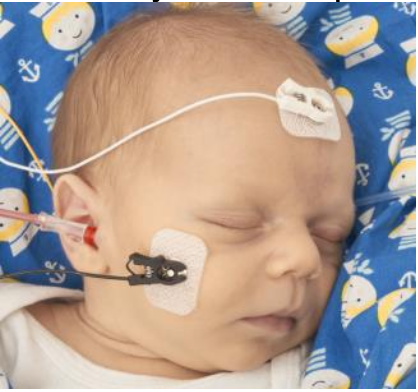
Place surface electrodes using the specified test montage for the selected protocol (mastoid or nape).

Connect cables
Connect the cables from the preamplifier to the respective surface electrodes.
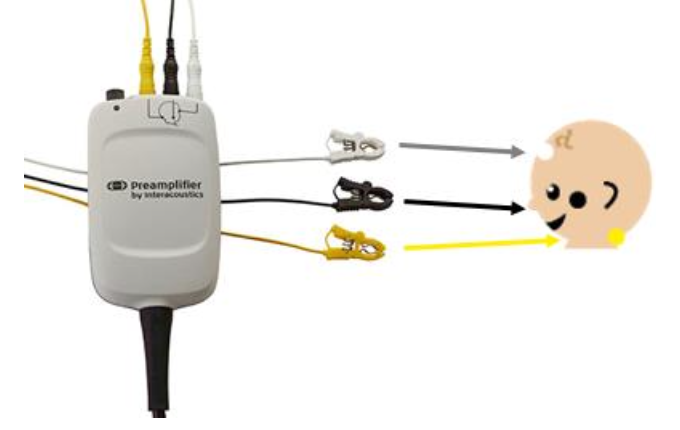
To reduce the chance of electrical interference, ensure that the electrode cables are placed away from the insert earphone or EarCup transducer box.
Place transducer
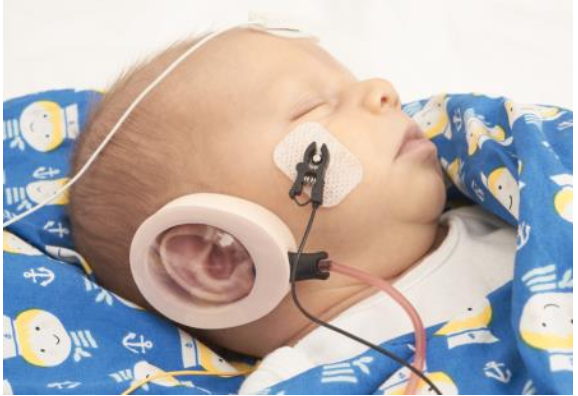
Place the probe or insert earphones in the baby's ear/s or place the EarCups around the baby's ears.
Run test
Press the Test button
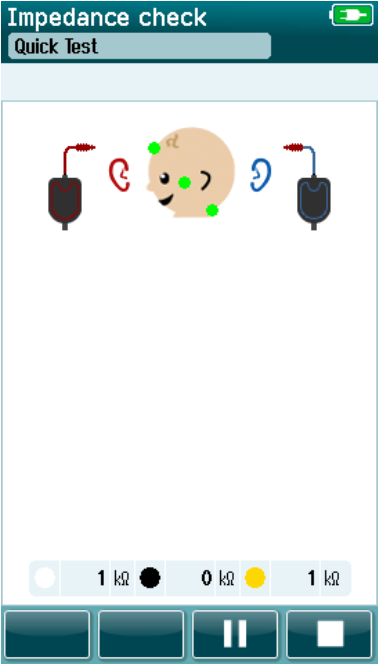
Impedance check
An impedance check will begin. Impedances are indicated by the green/amber dots on the montage picture as well as in numerical format on the screen.
Results
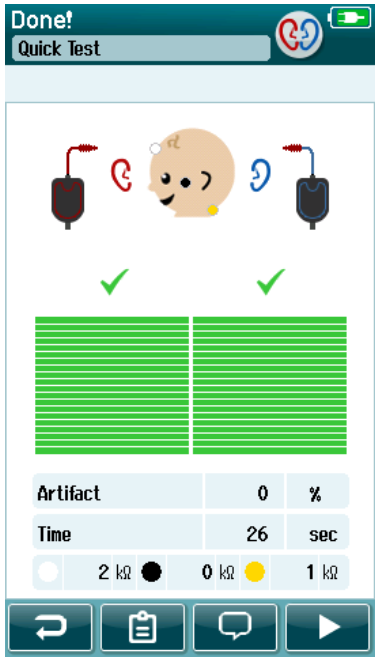
PASS result 
When the pass criteria for the test is reached, a is displayed in green above the measurement, indicating the test has PASSED.
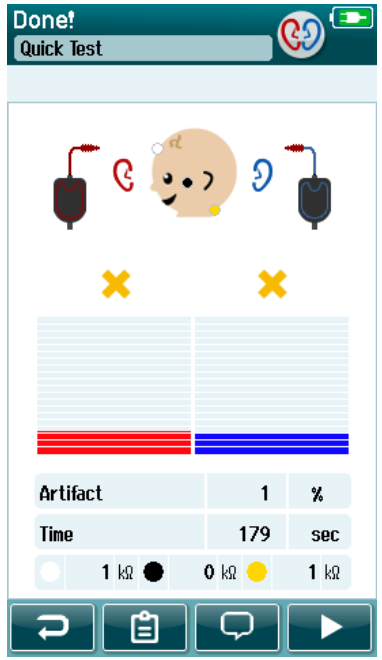
REFER result 
When the pass criteria for the test is not reached within the measurement time,  is displayed in amber above the measurement, indicating the test is a REFER.
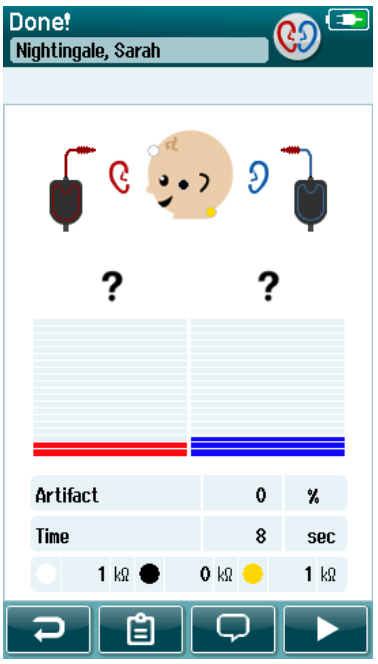
INCOMPLETE result 
If the test is stopped before a PASS or REFER is generated by the system,  is displayed above the measurement indicating that the test is INCOMPLETE.
Presenter
