
How to prepare the patient for threshold cortical testing

By Interacoustics

Transcript

Before you start testing, instruct the patient to turn off all their electronic devices in order to minimize noise.

Now look in your patient's ear to ensure no excess cerumen is present.

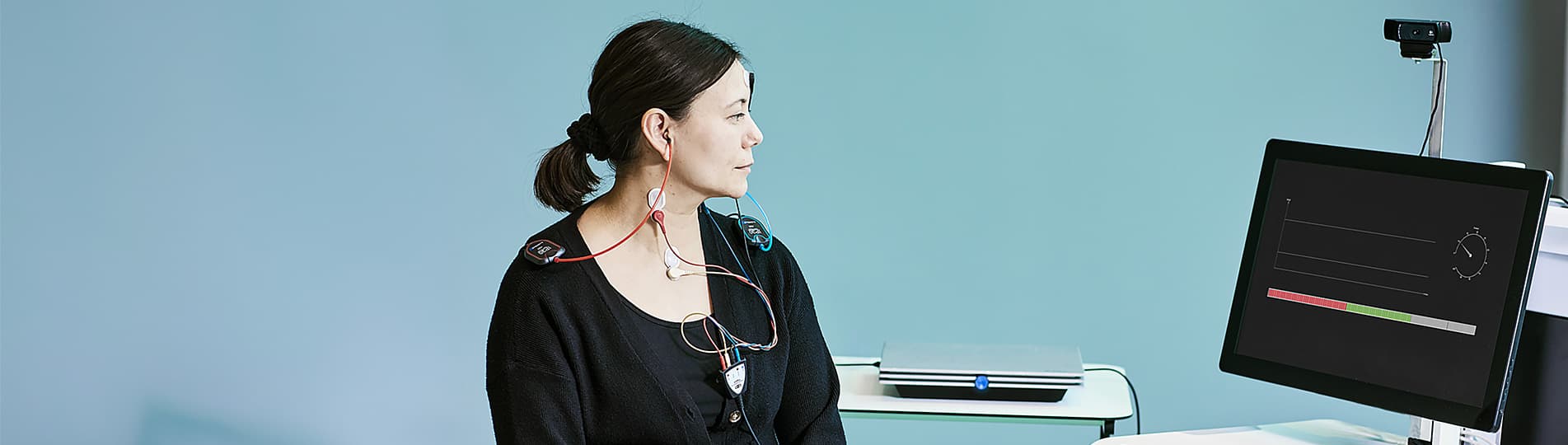
Clean the patient's skin behind each ear on the mastoid, the low forehead, and on the true vertex, which is on the top of the patient's head.

It is recommended to use this electrode montage.

However, if this is not possible, you can prepare the patient's high forehead instead.

Place your reference electrodes on the patient's mastoids, the ground electrode on their low forehead, and the active electrode on the true vertex or the high forehead.

Now test the impedance.

Impedances below five kiloohms are acceptable.

It is important that there is no more than two kiloohms of imbalance in impedances between electrodes.

The patient instructions will vary depending on the type of cortical test being done.

When ready, insert transducers in the patient's ear and start testing.

Presenter
Interacoustics

Available Training

Cochlear Microphonics

Learn how to measure cochlear microphonics with the Eclipse device.

Rasmus Skipper, MSc Audiology2026-10-28

oVEMP Testing

Learn how to perform ocular vestibular-evoked myogenic (oVEMP) testing with the Eclipse device.

Rasmus Skipper, MSc Audiology2026-10-28

Eclipse Onboarding Resource

This resource is designed to give you a thorough understanding of the Eclipse, so you can get up and running quickly and make the best possible measurements.

Leigh Martin2026-10-02

How to prepare the patient for ECochG testing

Learn how to prepare your patient for ECochG testing using the Eclipse. This video covers electrode montage, the test procedure, and more. Watch the video here.

Interacoustics2026-10-02

How to prepare the patient for ABR and ASSR testing

Learn how to set up and prepare your patient for ABR and ASSR testing on the Eclipse. This video shows the electrode montage, the impedance check, and more.

Interacoustics2026-10-02

How to prepare the patient for cVEMP testing

Learn how to set up and prepare your patient for the cervical VEMP test procedure on the Eclipse. Includes patient instructions, electrode montage, and more.

Interacoustics2026-10-02

How to prepare the patient for oVEMP testing

Learn how to set up and prepare for the Ocular VEMP test procedure with the Eclipse. You will learn how to mount the electrodes and check impedances. Watch now.

Interacoustics2026-10-02

How to navigate the test screen

In this short, 2-minute video, you'll learn how to navigate the Eclipse software's test screen and access the most important options. Watch the video here.

Interacoustics2026-10-02

How to use the edit tab

Learn how to use the edit tab in the Interacoustics Eclipse software.

Interacoustics2026-10-02

How to use the top panel

Learn how to use the top panel in the Interacoustics Eclipse software.

Interacoustics2026-10-02

How to use the recording tab

Learn how to use the recording tab in the Interacoustics Eclipse software.

Interacoustics2026-10-02

How to use the latency tab

Learn how to use the latency tab in the Interacoustics Eclipse software.

Interacoustics2026-10-02

How to customize your ABR protocol

Learn how to customize your auditory brainstem response (ABR) protocol with the Interacoustics Eclipse.

Interacoustics2026-10-02

How to print a report

Learn how to print a report with the Interacoustics Eclipse.

Interacoustics2026-10-02

How to add a new patient in OtoAccess ® Database

Learn how to add a new patient in OtoAccess Database before testing with your Interacoustics Eclipse.

Interacoustics2026-10-02

How to make changes to a saved session

Learn how to make changes to a saved session with the Interacoustics Eclipse.

Interacoustics2026-10-02

Looking for clinical training?

Are you looking for more advanced and clinical training?