
Acceptable Noise Level (ANL) Test
What is the acceptable noise level (ANL) test?
The ANL Test is a method of determining how much noise the patient is able to tolerate whilst listening to a target signal/speaker (Nabalek et al., 1991). It is used as a predictor for how well a patient will cope with amplification when receiving a hearing aid (Nabalek et al., 2006).
The ANL test is designed to be performed via loudspeaker as it is a free field test. However, it can be configured to perform monaurally via selection of headphones and routing the signal to the relevant ear-side.
When to perform the ANL test?
The ANL test is typically performed before the patient is given any form of amplification as a rehabilitative action for their hearing loss.
ANL test procedure
- Launch the CallistoTM Suite from Noah or OtoAccess®.
- Click on the AUD tab on the upper right hand side of the screen. Ensure that your Audiometry has been performed ahead of advancing into the SIN test as this determines the start level for the test.
- Click on Menu, Tests and then select ANL
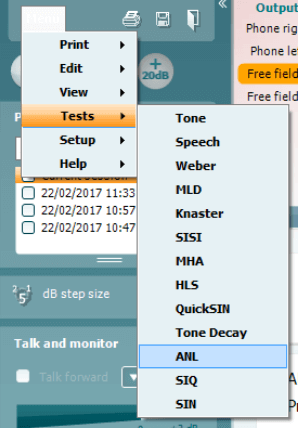
- Once in the ANL test screen, you will see that there are 4 different conditions which you can choose to measure.
MCL High - This is the loudest comfortable level the patient can listen to without any competing noise
MCL Low - This is the lowest comfortable level the patient can listen to without any competing noise
MCL Real - This is the patient most comfortable level without any competing noise
BNL - This is the actual ANL test where the MCL Real is presented and the competing noise is manipulated to find an ANL value
It is not essential to perform MCL High and MCL Low for the ANL test, but these are also good indicators of the patients' comfortable hearing range.
Instructions for the patient will always be displayed at the bottom of the screen.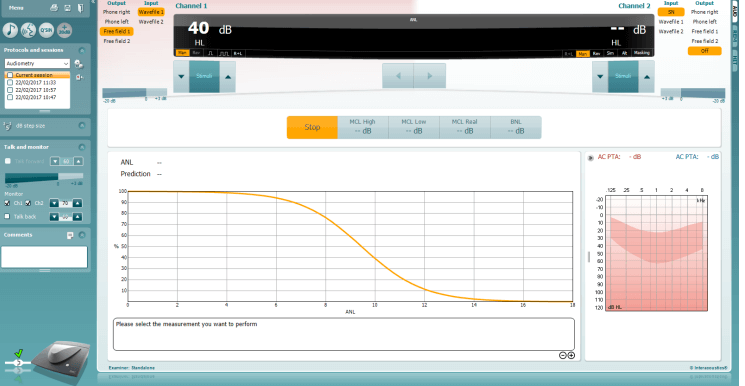
- MCL High
Click on the MCL High Icon and click play. This will loop your speech material.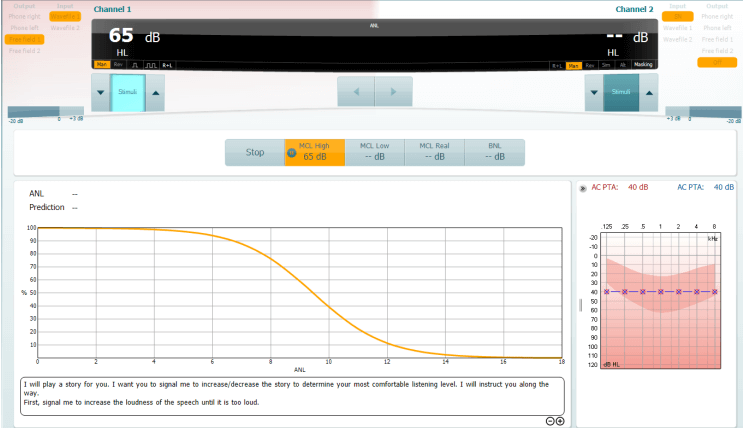
Increase and decrease the stimulus intensity to match the patients loudest MCL.
There will be no other change in the display to represent this, only the level in the MCL High icon box. - MCL Low
Click on the MCL Low Icon and click play. This will loop your speech material.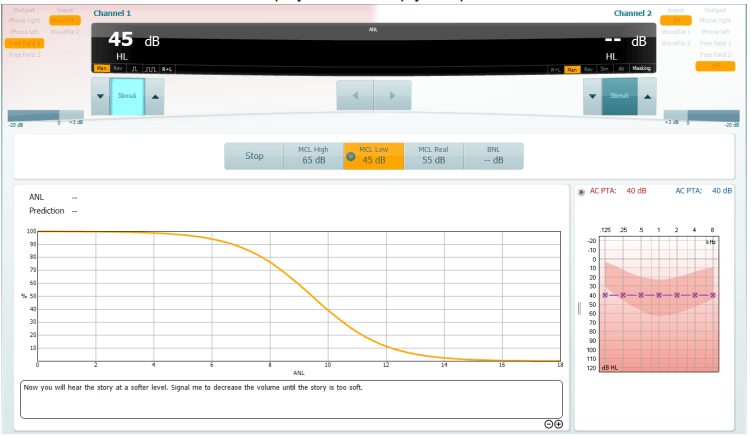
Increase and decrease the stimulus intensity to match the patients lowest MCL.
The display will change within the icon but also a predicted MCL Real will be generated as a midpoint between the MCL High and MCL Low. - MCL Real
Click on the MCL Real Icon and click play. This will loop your speech material.
If you have performed the MCL High and MCL low you should already have a predicted MCL value here. If not then increase/decrease the intensity to find a suitable level for the patients MCL.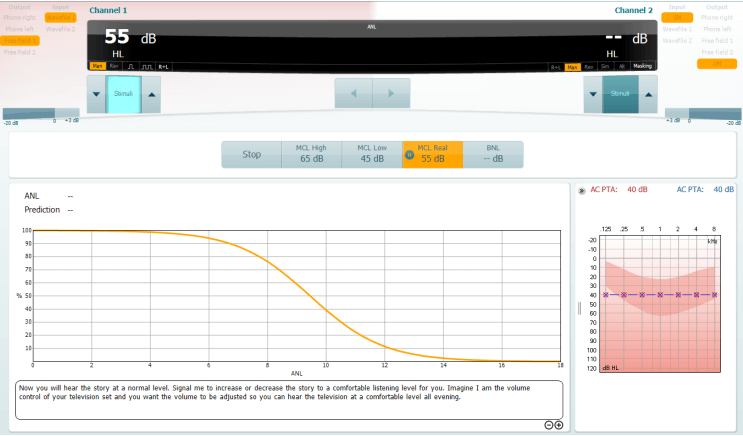
Again the display will not change, other than inside the icon for your test condition. - BNL
Click on the BNL Icon and click Play. This will loop the same speech material but also introduce the background masking noise.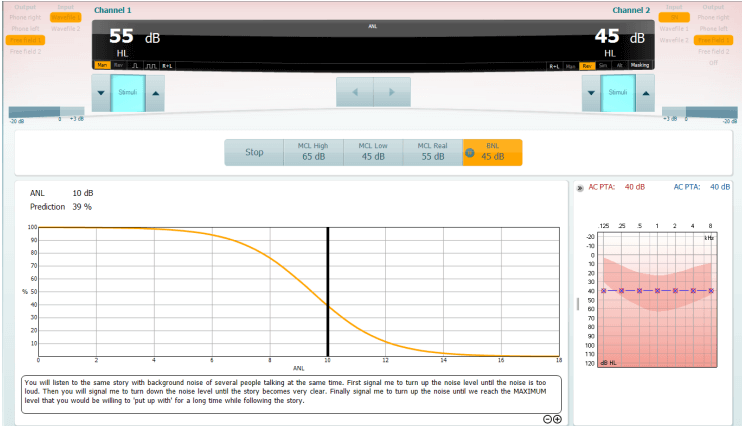
Increase/decrease Channel 2 in order to find a level of competing noise which the patient would be comfortable to listen to alongside their target material. Whilst doing this you will notice the display will change to reflect the patients ANL value and the prediction percentage of how well they will perform with amplification.
What does the ANL value mean?
On performing the ANL test you will obtain an ANL value (in dB) and a percentage. The percentage gives a likelihood of success with amplification (Nabalek et al., 2006) and the ANL value is the outcome of the following calculation:
ANL = MCL - BNL
For response categories the following outcome criteria was determined as an effect of the Nabalek et al. (2006) investigation into ANL outcomes in relation to amplification:
- ANL Score 7 dB or less: These individuals have a great prognosis for regular use and acceptance of hearing aids; may not need as much follow-up counseling and guidance as the average patient.
- ANL Score 8-12 dB: These are your more common patients and have a good (8) or bad (12) prognosis for regular use and acceptance of hearing aids. These patients may need more follow-up counseling and are excellent candidates for noise reduction technologies.
- ANL Score 13 dB or more: These patients are "at risk" for reduced utilization of hearing aids and may need additional post-fitting counseling, guidance, and require noise reduction technologies.
References
Nabelek, A.K., Tucker, F.M., & Letowski, T.R. (1991). Toleration of background noises: Relationship with patterns of hearing aid use by elderly persons. Journal of Speech and Hearing Research, 34, 679-685.
Nabelek, A., Freyaldenhoven, M., Tampas, J., & Burchfield, S. (2006). Acceptable noise level as a predictor of hearing aid use. Journal of the American Academy of Audiology, 17(9), 626-639.
Presenter
